
Secure Your Docker Images With Cosign (and OPA Gatekeeper)
On this page
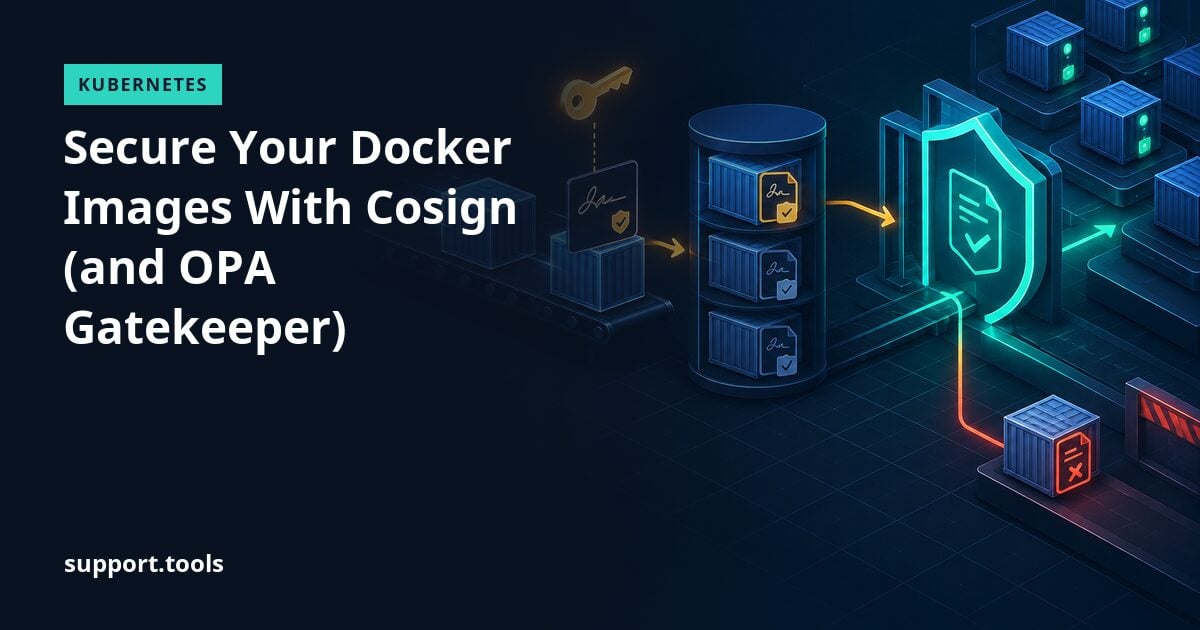
Modern CI/CD pipelines produce Docker images as artifacts, but how can we ensure the provenance of the workloads running in our Kubernetes clusters? This post demonstrates how to implement a secure supply chain by signing Docker images with Cosign and enforcing signature verification with OPA Gatekeeper.
In a world of increasing supply chain attacks, verifying the authenticity of container images before running them has become a critical security practice. Container image signing provides a cryptographic guarantee that an image hasn’t been tampered with and comes from a trusted source.
This tutorial demonstrates how to:
- Sign Docker images with Cosign during CI/CD pipeline execution
- Verify image signatures at runtime with OPA Gatekeeper
- Block the deployment of unsigned or improperly signed images
Understanding Container Image Signing
Container image signing works by:
- Creating a cryptographic signature for an image that verifies its authenticity
- Storing the signature alongside the image in the registry
- Verifying the signature at deployment time to confirm authenticity
The process looks like this:
[CI/CD Pipeline] → [Build Image] → [Sign Image with Cosign] → [Push to Registry]
                                                                      ↓
[Kubernetes Cluster] ← [OPA Gatekeeper Verification] ← [Deploy to Production]
Signing Images with Cosign
Cosign is a container signing, verification, and storage tool from the Sigstore project. Cosign makes it easy to sign and verify container images.
Setting Up Cosign
First, you’ll need to generate a key pair:
cosign generate-key-pairThis creates two files:
cosign.key: The private key used for signing (keep this secure!)cosign.pub: The public key used for verification
Signing an Image
To sign an image with your private key:
cosign sign --key cosign.key my-registry/my-image:1.0.0You can also add metadata to the signature:
cosign sign --key cosign.key \
  -a "build=pipeline-123" \
  -a "commit=abc123" \
  my-registry/my-image:1.0.0
Verifying a Signature
To verify an image signature:
cosign verify --key cosign.pub my-registry/my-image:1.0.0A successful verification will show:
The following checks were performed on these signatures:
  - The cosign claims were validated
  - The signatures were verified against the specified public key
Integrating Cosign with CI/CD Pipelines
For automated signing, we can integrate Cosign into CI/CD pipelines. Here’s an example using Tekton:
apiVersion: tekton.dev/v1beta1
kind: ClusterTask
metadata:
  name: cosign
  labels:
    app.kubernetes.io/version: "0.2"
  annotations:
    tekton.dev/pipelines.minVersion: "0.12.1"
    tekton.dev/tags: docker.tools
spec:
  description: >-
    This Task can be used to sign a docker image.
  params:
    - name: image
      description: Image name
  steps:
    - name: sign
      image: gcr.io/projectsigstore/cosign:v1.4.1
      args: ["sign", "--key" ,"/etc/keys/cosign.key","$(params.image)"]
      env:
        - name: COSIGN_PASSWORD
          valueFrom:
            secretKeyRef:
              name: cosign-key-password
              key: password
      volumeMounts:
      - name: cosign-keys
        mountPath: "/etc/keys"
        readOnly: true
  volumes:
    - name: cosign-keys
      secret:
        secretName: cosign-keys
This task should be inserted into your pipeline just after the image build step and before deployment.
Enforcing Signature Verification with OPA Gatekeeper
OPA Gatekeeper is a policy controller for Kubernetes that enforces Custom Resource Definition (CRD) based policies. We’ll use it to verify image signatures before allowing deployments.
Understanding Gatekeeper Components
Gatekeeper works with two main custom resources:
- ConstraintTemplate: Defines the policy logic using Rego (OPA’s policy language)
- Constraint: An instance of a template applied to specific resources
Setting Up External Data Provider for Cosign Verification
To verify signatures, we’ll use Gatekeeper’s External Data feature, which allows it to call external services for verification.
First, ensure Gatekeeper is installed with the External Data feature enabled by adding --enable-external-data to the Gatekeeper and Gatekeeper Audit deployments.
Next, create a Constraint Template for signature verification:
apiVersion: templates.gatekeeper.sh/v1beta1
kind: ConstraintTemplate
metadata:
  name: k8sexternaldatacosign
spec:
  crd:
    spec:
      names:
        kind: K8sExternalDataCosign
  targets:
    - target: admission.k8s.gatekeeper.sh
      rego: |
        package k8sexternaldata

        violation[{"msg": msg}] {
          # For Deployments, StatefulSets, DaemonSets
          images := [img | img = input.review.object.spec.template.spec.containers[_].image]
          response := external_data({"provider": "cosign-gatekeeper-provider", "keys": images})
          response_with_error(response)
          msg := sprintf("Unsigned or invalid signature for images: %v", [response.errors])
        }

        violation[{"msg": msg}] {
          # For Pods
          images := [img | img = input.review.object.spec.containers[_].image]
          response := external_data({"provider": "cosign-gatekeeper-provider", "keys": images})
          response_with_error(response)
          msg := sprintf("Unsigned or invalid signature for images: %v", [response.errors])
        }

        response_with_error(response) {
          count(response.errors) > 0
        }

        response_with_error(response) {
          count(response.system_error) > 0
        }
Then create the Constraint to enforce the policy:
apiVersion: constraints.gatekeeper.sh/v1beta1
kind: K8sExternalDataCosign
metadata:
  name: require-signed-images
spec:
  enforcementAction: deny
  match:
    namespaces:
      - production
      - staging
    kinds:
      - apiGroups: ["apps", ""]
        kinds: ["Deployment", "Pod", "StatefulSet", "DaemonSet"]
With this configuration, Gatekeeper will block any deployment of unsigned images in the specified namespaces.
Implementing the Cosign Verification Service
Now we need to implement the external service that Gatekeeper will call for signature verification. Here’s a simplified Go application that handles this:
package main

import (
    "context"
    "encoding/json"
    "fmt"
    "log"
    "net/http"
    "os"
    "path/filepath"
    "io/ioutil"

    "github.com/google/go-containerregistry/pkg/name"
    "github.com/julienschmidt/httprouter"
    "github.com/sigstore/cosign/pkg/cosign"
    "github.com/open-policy-agent/frameworks/constraint/pkg/externaldata"
    "github.com/google/go-containerregistry/pkg/authn"
    "github.com/google/go-containerregistry/pkg/v1/remote"
)

const (
    apiVersion = "externaldata.gatekeeper.sh/v1alpha1"
)

func Verify(w http.ResponseWriter, req *http.Request, ps httprouter.Params) {
    requestBody, err := ioutil.ReadAll(req.Body)
    if err != nil {
        http.Error(w, err.Error(), http.StatusBadRequest)
        sendResponse(nil, fmt.Sprintf("unable to read request body: %v", err), w)
        return
    }

    var providerRequest externaldata.ProviderRequest
    err = json.Unmarshal(requestBody, &providerRequest)
    if err != nil {
        http.Error(w, err.Error(), http.StatusBadRequest)
        sendResponse(nil, fmt.Sprintf("unable to unmarshal request body: %v", err), w)
        return
    }

    results := make([]externaldata.Item, 0)
    resultsFailedImgs := make([]string, 0)
    ctx := context.TODO()

    // Load the public key
    wDir, err := os.Getwd()
    if err != nil {
        http.Error(w, err.Error(), http.StatusInternalServerError)
        return
    }

    pub, err := cosign.LoadPublicKey(ctx, filepath.Join(wDir, "cosign.pub"))
    if err != nil {
        http.Error(w, err.Error(), http.StatusInternalServerError)
        return
    }

    // Get registry credentials from mounted secrets
    regUsername, err := ioutil.ReadFile("/etc/registry-secret/username")
    if err != nil {
        http.Error(w, err.Error(), http.StatusInternalServerError)
        return
    }
    regPassword, err := ioutil.ReadFile("/etc/registry-secret/password")
    if err != nil {
        http.Error(w, err.Error(), http.StatusInternalServerError)
        return
    }

    // Set up verification options with authentication
    co := &cosign.CheckOpts{
        SigVerifier: pub,
        RegistryClientOpts: []remote.Option{
            remote.WithAuth(&authn.Basic{
                Username: string(regUsername),
                Password: string(regPassword),
            }),
        },
    }

    // Verify each image
    for _, key := range providerRequest.Request.Keys {
        ref, err := name.ParseReference(key)
        if err != nil {
            http.Error(w, err.Error(), http.StatusInternalServerError)
            return
        }

        if _, err = cosign.Verify(ctx, ref, co); err != nil {
            results = append(results, externaldata.Item{
                Key:   key,
                Error: key + "_invalid",
            })
            resultsFailedImgs = append(resultsFailedImgs, key)
        } else {
            results = append(results, externaldata.Item{
                Key:   key,
                Value: key + "_valid",
            })
        }
    }

    sendResponse(&results, "", w)
}

func sendResponse(results *[]externaldata.Item, systemErr string, w http.ResponseWriter) {
    response := externaldata.ProviderResponse{
        APIVersion: apiVersion,
        Kind:       "ProviderResponse",
    }

    if results != nil {
        response.Response.Items = *results
    } else {
        response.Response.SystemError = systemErr
    }

    w.WriteHeader(http.StatusOK)
    if err := json.NewEncoder(w).Encode(response); err != nil {
        log.Fatal(err)
    }
}

func main() {
    router := httprouter.New()
    router.POST("/validate", Verify)
    log.Fatal(http.ListenAndServe(":8090", router))
}
Deploy this service with access to your Cosign public key:
apiVersion: v1
kind: Namespace
metadata:
  name: cosign-gatekeeper-provider
---
apiVersion: apps/v1
kind: Deployment
metadata:
  name: cosign-gatekeeper-provider
  namespace: cosign-gatekeeper-provider
spec:
  replicas: 1
  selector:
    matchLabels:
      app: cosign-gatekeeper-provider
  template:
    metadata:
      labels:
        app: cosign-gatekeeper-provider
    spec:
      containers:
      - image: my-registry/cosign-gatekeeper-provider:1.0.0
        imagePullPolicy: Always
        name: cosign-gatekeeper-provider
        ports:
        - containerPort: 8090
          protocol: TCP
        volumeMounts:
        - name: public-key
          mountPath: /cosign-gatekeeper-provider/cosign.pub
          subPath: cosign.pub
          readOnly: true
        - name: registry-secret
          mountPath: /etc/registry-secret
          readOnly: true
      volumes:
      - name: public-key
        secret:
          secretName: cosign-public-key
      - name: registry-secret
        secret:
          secretName: registry-secret
---
apiVersion: v1
kind: Service
metadata:
  name: cosign-gatekeeper-provider
  namespace: cosign-gatekeeper-provider
spec:
  ports:
  - port: 8090
    protocol: TCP
    targetPort: 8090
  selector:
    app: cosign-gatekeeper-provider
Finally, register this service as an External Data Provider for Gatekeeper:
apiVersion: externaldata.gatekeeper.sh/v1alpha1
kind: Provider
metadata:
  name: cosign-gatekeeper-provider
spec:
  url: http://cosign-gatekeeper-provider.cosign-gatekeeper-provider:8090/validate
  timeout: 30
Testing the Implementation
Let’s test our implementation by trying to deploy an unsigned image:
kubectl run nginx --image=nginx -n productionYou should see an error message like:
Error from server (Forbidden): admission webhook "validation.gatekeeper.sh" denied the request:
[require-signed-images] Unsigned or invalid signature for images: [["nginx", "nginx_invalid"]]
Now try with a properly signed image:
# Sign the image first
cosign sign --key cosign.key my-registry/my-app:1.0.0

# Then deploy
kubectl run myapp --image=my-registry/my-app:1.0.0 -n production
This should succeed, as the image signature will be verified.
Advanced Configuration
Warning Mode Instead of Blocking
If you want to start with a less strict policy, you can set enforcementAction: warn in your constraint. This will log violations but still allow deployments:
apiVersion: constraints.gatekeeper.sh/v1beta1
kind: K8sExternalDataCosign
metadata:
  name: require-signed-images
spec:
  enforcementAction: warn  # Changed from 'deny' to 'warn'
  match:
    # ...
This is useful for a phased rollout where you want to identify non-compliant images without disrupting workflows.
Integration with Prometheus Alertmanager
You can configure Prometheus to alert on Gatekeeper constraint violations:
- Set up ServiceMonitor for Gatekeeper
- Create alerts for constraint violations
- Configure Alertmanager to notify your team
This provides visibility into signature verification failures without blocking deployments.
Conclusion
By implementing image signing with Cosign and verification with OPA Gatekeeper, you significantly enhance your Kubernetes security posture. This approach:
- Provides cryptographic verification of image origins
- Prevents unauthorized or tampered images from running in your cluster
- Creates an auditable chain of custody for your container images
As supply chain attacks become more sophisticated, implementing container image signing should be a standard practice in any security-conscious Kubernetes environment.
Remember to secure your private keys properly, as they are the foundation of this security system. Consider using a key management system (KMS) or hardware security module (HSM) for production deployments.
For organizations just starting with image signing, begin with the warning mode to understand the impact before enforcing strict policies that might block deployments.