
PostgreSQL Operator High Availability on Kubernetes: Enterprise Production Guide
On this page
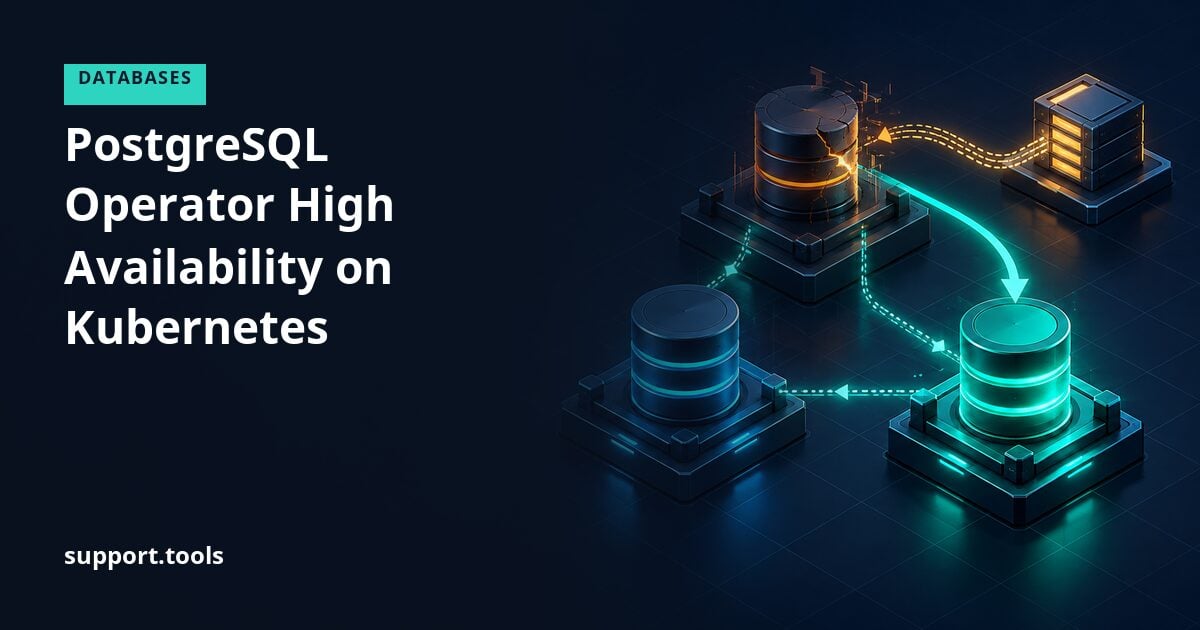
Implementing highly available PostgreSQL clusters on Kubernetes requires careful consideration of replication, failover mechanisms, backup strategies, and operator selection. This comprehensive guide covers enterprise-grade PostgreSQL HA implementations using Kubernetes operators.
In this guide, we’ll explore production-ready PostgreSQL operator deployments, covering Zalando’s PostgreSQL Operator, CloudNativePG, and Crunchy Data PostgreSQL Operator, with detailed configurations for automatic failover, streaming replication, and disaster recovery.
Understanding PostgreSQL HA Architecture
Replication Strategies
PostgreSQL supports multiple replication approaches for high availability:
1. Streaming Replication
# PostgreSQL configuration for streaming replication
apiVersion: v1
kind: ConfigMap
metadata:
  name: postgresql-config
  namespace: database
data:
  postgresql.conf: |
    # Replication settings
    wal_level = replica
    max_wal_senders = 10
    max_replication_slots = 10
    hot_standby = on

    # Performance tuning
    shared_buffers = 4GB
    effective_cache_size = 12GB
    maintenance_work_mem = 1GB
    checkpoint_completion_target = 0.9
    wal_buffers = 16MB
    default_statistics_target = 100
    random_page_cost = 1.1
    effective_io_concurrency = 200
    work_mem = 20MB
    min_wal_size = 2GB
    max_wal_size = 8GB
    max_worker_processes = 8
    max_parallel_workers_per_gather = 4
    max_parallel_workers = 8
    max_parallel_maintenance_workers = 4

  pg_hba.conf: |
    # TYPE  DATABASE        USER            ADDRESS                 METHOD
    local   all             all                                     trust
    host    all             all             127.0.0.1/32            trust
    host    all             all             ::1/128                 trust
    host    replication     standby         0.0.0.0/0               md5
    host    all             all             0.0.0.0/0               md5
2. Logical Replication Configuration
-- Create publication on primary
CREATE PUBLICATION my_publication FOR ALL TABLES;

-- Create subscription on replica
CREATE SUBSCRIPTION my_subscription
CONNECTION 'host=postgresql-primary port=5432 dbname=mydb user=replicator password=secret'
PUBLICATION my_publication
WITH (copy_data = true, create_slot = true, enabled = true);

-- Monitor replication lag
SELECT
    client_addr,
    state,
    sent_lsn,
    write_lsn,
    flush_lsn,
    replay_lsn,
    sync_state,
    pg_wal_lsn_diff(sent_lsn, replay_lsn) AS replication_lag_bytes
FROM pg_stat_replication;
Zalando PostgreSQL Operator Implementation
Operator Deployment
1. Install the Operator
# Add Zalando helm repository
helm repo add zalando https://opensource.zalando.com/postgres-operator/charts/postgres-operator
helm repo update

# Create namespace
kubectl create namespace postgres-operator

# Install operator with custom values
cat <<EOF | helm install postgres-operator zalando/postgres-operator \
  --namespace postgres-operator \
  --values -
configKubernetes:
  enable_pod_antiaffinity: true
  enable_cross_namespace_secret: true
  watched_namespace: "*"

configGeneral:
  docker_image: registry.opensource.zalan.do/acid/spilo-15:3.0-p1
  enable_teams_api: false
  workers: 8

configConnectionPooler:
  connection_pooler_image: registry.opensource.zalan.do/acid/pgbouncer:master-26
  connection_pooler_max_db_connections: 100
  connection_pooler_default_pool_size: 25

configLoadBalancer:
  enable_master_load_balancer: true
  enable_replica_load_balancer: true
  master_dns_name_format: "{cluster}.{namespace}.{hostedzone}"
  replica_dns_name_format: "{cluster}-repl.{namespace}.{hostedzone}"

configDebug:
  debug_logging: true
  enable_database_access: true
EOF
2. Create HA PostgreSQL Cluster
apiVersion: "acid.zalan.do/v1"
kind: postgresql
metadata:
  name: production-postgres
  namespace: database
spec:
  teamId: "database-team"
  volume:
    size: 100Gi
    storageClass: fast-ssd
  numberOfInstances: 3

  postgresql:
    version: "15"
    parameters:
      # Memory settings
      shared_buffers: "4GB"
      effective_cache_size: "12GB"
      maintenance_work_mem: "1GB"
      work_mem: "20MB"

      # Checkpoint settings
      checkpoint_completion_target: "0.9"
      wal_buffers: "16MB"
      min_wal_size: "2GB"
      max_wal_size: "8GB"

      # Query planner
      random_page_cost: "1.1"
      effective_io_concurrency: "200"

      # Parallelism
      max_worker_processes: "8"
      max_parallel_workers_per_gather: "4"
      max_parallel_workers: "8"
      max_parallel_maintenance_workers: "4"

      # WAL and replication
      wal_level: "replica"
      max_wal_senders: "10"
      max_replication_slots: "10"
      hot_standby: "on"
      wal_keep_size: "1GB"

      # Logging
      log_checkpoints: "on"
      log_connections: "on"
      log_disconnections: "on"
      log_lock_waits: "on"
      log_temp_files: "0"
      log_autovacuum_min_duration: "0"
      log_error_verbosity: "default"
      log_line_prefix: "%m [%p] %q%u@%d "

  # Resource limits
  resources:
    requests:
      cpu: "2"
      memory: 8Gi
    limits:
      cpu: "4"
      memory: 16Gi

  # High availability configuration
  patroni:
    initdb:
      encoding: "UTF8"
      locale: "en_US.UTF-8"
      data-checksums: "true"
    pg_hba:
      - local all all trust
      - hostssl all all 0.0.0.0/0 md5
      - host all all 0.0.0.0/0 md5
    ttl: 30
    loop_wait: 10
    retry_timeout: 10
    maximum_lag_on_failover: 33554432
    synchronous_mode: true
    synchronous_mode_strict: false
    synchronous_node_count: 1
    slots:
      permanent_replication_slot_1:
        type: physical
      permanent_logical_slot_1:
        type: logical
        database: mydb
        plugin: pgoutput

  # Users and databases
  users:
    appuser:
      - superuser
      - createdb
    replicator:
      - replication

  databases:
    mydb: appuser
    analytics: appuser

  # Connection pooler
  enableConnectionPooler: true
  connectionPooler:
    numberOfInstances: 3
    mode: "transaction"
    schema: "pooler"
    user: "pooler"
    resources:
      requests:
        cpu: "500m"
        memory: 512Mi
      limits:
        cpu: "1"
        memory: 1Gi
    dockerImage: "registry.opensource.zalan.do/acid/pgbouncer:master-26"

  # Pod antiaffinity for HA
  podAnnotations:
    prometheus.io/scrape: "true"
    prometheus.io/port: "9187"

  podPriorityClassName: "database-high-priority"

  sidecars:
    - name: exporter
      image: prometheuscommunity/postgres-exporter:v0.12.0
      ports:
        - name: metrics
          containerPort: 9187
          protocol: TCP
      env:
        - name: DATA_SOURCE_URI
          value: "localhost:5432/postgres?sslmode=disable"
        - name: DATA_SOURCE_USER
          valueFrom:
            secretKeyRef:
              name: postgres.production-postgres.credentials.postgresql.acid.zalan.do
              key: username
        - name: DATA_SOURCE_PASS
          valueFrom:
            secretKeyRef:
              name: postgres.production-postgres.credentials.postgresql.acid.zalan.do
              key: password
      resources:
        requests:
          cpu: "100m"
          memory: 128Mi
        limits:
          cpu: "500m"
          memory: 256Mi

  # Backup configuration
  enableLogicalBackup: true
  logicalBackupSchedule: "30 3 * * *"

  tolerations:
    - key: "database-workload"
      operator: "Equal"
      value: "true"
      effect: "NoSchedule"

  nodeAffinity:
    requiredDuringSchedulingIgnoredDuringExecution:
      nodeSelectorTerms:
        - matchExpressions:
            - key: "node-role.kubernetes.io/database"
              operator: In
              values:
                - "true"
Advanced Failover Configuration
1. Patroni Configuration for Automatic Failover
apiVersion: v1
kind: ConfigMap
metadata:
  name: patroni-config
  namespace: database
data:
  patroni.yml: |
    scope: production-postgres
    namespace: /db/
    name: postgresql-0

    restapi:
      listen: 0.0.0.0:8008
      connect_address: postgresql-0.production-postgres:8008

    kubernetes:
      labels:
        application: spilo
        cluster-name: production-postgres
      scope_label: cluster-name
      role_label: spilo-role
      use_endpoints: true
      pod_ip: $(POD_IP)
      ports:
        - name: postgresql
          port: 5432

    bootstrap:
      dcs:
        ttl: 30
        loop_wait: 10
        retry_timeout: 10
        maximum_lag_on_failover: 33554432
        master_start_timeout: 300
        synchronous_mode: true
        synchronous_mode_strict: false
        synchronous_node_count: 1
        postgresql:
          use_pg_rewind: true
          use_slots: true
          parameters:
            max_connections: 500
            max_locks_per_transaction: 64
            max_prepared_transactions: 0
            max_replication_slots: 10
            max_wal_senders: 10
            max_worker_processes: 8

      initdb:
        - encoding: UTF8
        - data-checksums

      pg_hba:
        - local all all trust
        - hostssl all all 0.0.0.0/0 md5
        - host all all 0.0.0.0/0 md5
        - hostssl replication standby all md5

    postgresql:
      listen: 0.0.0.0:5432
      connect_address: postgresql-0.production-postgres:5432
      data_dir: /home/postgres/pgdata/pgroot/data
      bin_dir: /usr/lib/postgresql/15/bin

      authentication:
        replication:
          username: standby
          password: standby_password
        superuser:
          username: postgres
          password: postgres_password

      parameters:
        unix_socket_directories: '/var/run/postgresql'
        logging_collector: 'on'
        log_destination: 'csvlog'
        log_directory: '/home/postgres/pg_log'

      create_replica_methods:
        - basebackup

      basebackup:
        max-rate: 100M
        checkpoint: fast

      recovery_conf:
        restore_command: "envdir \"/run/etc/wal-e.d/env\" /scripts/restore_command.sh \"%f\" \"%p\""

      callbacks:
        on_start: /scripts/on_start.sh
        on_stop: /scripts/on_stop.sh
        on_restart: /scripts/on_restart.sh
        on_reload: /scripts/on_reload.sh
        on_role_change: /scripts/on_role_change.sh

      pg_ctl_timeout: 60

    watchdog:
      mode: required
      device: /dev/watchdog
      safety_margin: 5

    tags:
      nofailover: false
      noloadbalance: false
      clonefrom: false
      nosync: false
2. Custom Failover Scripts
#!/bin/bash
# on_role_change.sh - Execute during role transitions

set -e

ROLE=$1
CLUSTER=$2

log_message() {
    echo "$(date '+%Y-%m-%d %H:%M:%S') - $1" | tee -a /var/log/postgresql/failover.log
}

promote_to_primary() {
    log_message "Promoting to PRIMARY role"

    # Update application configuration
    kubectl annotate svc production-postgres-repl \
        service.kubernetes.io/role=primary \
        --overwrite

    # Trigger monitoring alert
    curl -X POST http://alertmanager:9093/api/v1/alerts \
        -H "Content-Type: application/json" \
        -d '[{
            "labels": {
                "alertname": "PostgreSQLFailover",
                "cluster": "'"$CLUSTER"'",
                "severity": "warning"
            },
            "annotations": {
                "summary": "PostgreSQL failover completed",
                "description": "Node promoted to primary"
            }
        }]'

    # Wait for replication to catch up
    sleep 5

    log_message "PRIMARY promotion completed"
}

demote_to_replica() {
    log_message "Demoting to REPLICA role"

    # Update service annotations
    kubectl annotate svc production-postgres-repl \
        service.kubernetes.io/role=replica \
        --overwrite

    log_message "REPLICA demotion completed"
}

case "$ROLE" in
    master)
        promote_to_primary
        ;;
    replica)
        demote_to_replica
        ;;
    *)
        log_message "Unknown role: $ROLE"
        exit 1
        ;;
esac

exit 0
CloudNativePG Operator Implementation
Operator Installation
1. Deploy CloudNativePG Operator
# Install via kubectl
kubectl apply -f https://raw.githubusercontent.com/cloudnative-pg/cloudnative-pg/release-1.21/releases/cnpg-1.21.0.yaml

# Or via Helm
helm repo add cnpg https://cloudnative-pg.github.io/charts
helm upgrade --install cnpg \
  --namespace cnpg-system \
  --create-namespace \
  cnpg/cloudnative-pg
2. Create CloudNativePG Cluster
apiVersion: postgresql.cnpg.io/v1
kind: Cluster
metadata:
  name: production-cluster
  namespace: database
spec:
  instances: 3
  imageName: ghcr.io/cloudnative-pg/postgresql:15.3

  postgresql:
    parameters:
      shared_buffers: "4GB"
      effective_cache_size: "12GB"
      maintenance_work_mem: "1GB"
      checkpoint_completion_target: "0.9"
      wal_buffers: "16MB"
      default_statistics_target: "100"
      random_page_cost: "1.1"
      effective_io_concurrency: "200"
      work_mem: "20MB"
      min_wal_size: "2GB"
      max_wal_size: "8GB"
      max_worker_processes: "8"
      max_parallel_workers_per_gather: "4"
      max_parallel_workers: "8"
      max_parallel_maintenance_workers: "4"
      max_connections: "500"
      log_checkpoints: "on"
      log_connections: "on"
      log_disconnections: "on"
      log_lock_waits: "on"
      log_statement: "ddl"

    pg_hba:
      - host all all 10.0.0.0/8 md5
      - host replication streaming-replica all md5

  bootstrap:
    initdb:
      database: app
      owner: app
      encoding: UTF8
      localeCollate: en_US.UTF-8
      localeCType: en_US.UTF-8
      dataChecksums: true
      postInitTemplateSQL:
        - CREATE EXTENSION IF NOT EXISTS pg_stat_statements;
        - CREATE EXTENSION IF NOT EXISTS pgcrypto;
        - CREATE EXTENSION IF NOT EXISTS uuid-ossp;

  storage:
    storageClass: fast-ssd
    size: 100Gi

  resources:
    requests:
      memory: "8Gi"
      cpu: "2"
    limits:
      memory: "16Gi"
      cpu: "4"

  affinity:
    enablePodAntiAffinity: true
    topologyKey: kubernetes.io/hostname
    podAntiAffinityType: required

  # High availability configuration
  minSyncReplicas: 1
  maxSyncReplicas: 2

  # Backup configuration
  backup:
    barmanObjectStore:
      destinationPath: s3://postgresql-backups/production-cluster
      endpointURL: https://s3.amazonaws.com
      s3Credentials:
        accessKeyId:
          name: aws-creds
          key: ACCESS_KEY_ID
        secretAccessKey:
          name: aws-creds
          key: SECRET_ACCESS_KEY
      wal:
        compression: gzip
        encryption: AES256
      data:
        compression: gzip
        encryption: AES256
        immediateCheckpoint: true
        jobs: 4

    retentionPolicy: "30d"

  # Monitoring
  monitoring:
    enablePodMonitor: true
    customQueriesConfigMap:
      - name: postgresql-monitoring
        key: custom-queries.yaml

  # Failover configuration
  failoverDelay: 0
  switchoverDelay: 60

  primaryUpdateStrategy: unsupervised
  primaryUpdateMethod: switchover

  certificates:
    serverCASecret: postgresql-server-ca
    serverTLSSecret: postgresql-server-tls
    replicationTLSSecret: postgresql-replication-tls
    clientCASecret: postgresql-client-ca
3. Scheduled Backup Configuration
apiVersion: postgresql.cnpg.io/v1
kind: ScheduledBackup
metadata:
  name: production-backup
  namespace: database
spec:
  schedule: "0 3 * * *"
  backupOwnerReference: self
  cluster:
    name: production-cluster

  immediate: true

  method: barmanObjectStore

  target: primary
Monitoring and Alerting
1. Custom Monitoring Queries
apiVersion: v1
kind: ConfigMap
metadata:
  name: postgresql-monitoring
  namespace: database
data:
  custom-queries.yaml: |
    pg_replication:
      query: |
        SELECT
          client_addr,
          state,
          COALESCE(pg_wal_lsn_diff(pg_current_wal_lsn(), replay_lsn), 0) AS replication_lag_bytes,
          EXTRACT(EPOCH FROM (now() - pg_last_xact_replay_timestamp())) AS replication_lag_seconds
        FROM pg_stat_replication
      metrics:
        - client_addr:
            usage: "LABEL"
            description: "Client address"
        - state:
            usage: "LABEL"
            description: "Replication state"
        - replication_lag_bytes:
            usage: "GAUGE"
            description: "Replication lag in bytes"
        - replication_lag_seconds:
            usage: "GAUGE"
            description: "Replication lag in seconds"

    pg_database_size:
      query: |
        SELECT
          datname,
          pg_database_size(datname) as size_bytes
        FROM pg_database
        WHERE datname NOT IN ('template0', 'template1')
      metrics:
        - datname:
            usage: "LABEL"
            description: "Database name"
        - size_bytes:
            usage: "GAUGE"
            description: "Database size in bytes"

    pg_table_bloat:
      query: |
        SELECT
          schemaname,
          tablename,
          pg_total_relation_size(schemaname||'.'||tablename) AS total_bytes,
          pg_relation_size(schemaname||'.'||tablename) AS table_bytes,
          pg_total_relation_size(schemaname||'.'||tablename) - pg_relation_size(schemaname||'.'||tablename) AS index_bytes
        FROM pg_tables
        WHERE schemaname NOT IN ('pg_catalog', 'information_schema')
      metrics:
        - schemaname:
            usage: "LABEL"
            description: "Schema name"
        - tablename:
            usage: "LABEL"
            description: "Table name"
        - total_bytes:
            usage: "GAUGE"
            description: "Total relation size"
        - table_bytes:
            usage: "GAUGE"
            description: "Table size"
        - index_bytes:
            usage: "GAUGE"
            description: "Index size"

    pg_connection_states:
      query: |
        SELECT
          state,
          COUNT(*) as connections
        FROM pg_stat_activity
        WHERE state IS NOT NULL
        GROUP BY state
      metrics:
        - state:
            usage: "LABEL"
            description: "Connection state"
        - connections:
            usage: "GAUGE"
            description: "Number of connections"

    pg_locks:
      query: |
        SELECT
          mode,
          COUNT(*) as locks
        FROM pg_locks
        GROUP BY mode
      metrics:
        - mode:
            usage: "LABEL"
            description: "Lock mode"
        - locks:
            usage: "GAUGE"
            description: "Number of locks"
2. PrometheusRule for Alerting
apiVersion: monitoring.coreos.com/v1
kind: PrometheusRule
metadata:
  name: postgresql-alerts
  namespace: database
spec:
  groups:
    - name: postgresql
      interval: 30s
      rules:
        - alert: PostgreSQLDown
          expr: pg_up == 0
          for: 1m
          labels:
            severity: critical
          annotations:
            summary: "PostgreSQL instance is down"
            description: "PostgreSQL instance {{ $labels.instance }} is down"

        - alert: PostgreSQLReplicationLag
          expr: pg_replication_lag_seconds > 30
          for: 2m
          labels:
            severity: warning
          annotations:
            summary: "PostgreSQL replication lag is high"
            description: "Replication lag is {{ $value }} seconds on {{ $labels.instance }}"

        - alert: PostgreSQLHighConnections
          expr: (pg_stat_activity_count / pg_settings_max_connections) > 0.8
          for: 5m
          labels:
            severity: warning
          annotations:
            summary: "PostgreSQL connection count is high"
            description: "{{ $labels.instance }} is using {{ $value | humanizePercentage }} of max connections"

        - alert: PostgreSQLDeadlocks
          expr: rate(pg_stat_database_deadlocks[5m]) > 0
          for: 1m
          labels:
            severity: warning
          annotations:
            summary: "PostgreSQL deadlocks detected"
            description: "Database {{ $labels.datname }} has {{ $value }} deadlocks per second"

        - alert: PostgreSQLSlowQueries
          expr: pg_stat_activity_max_tx_duration > 300
          for: 5m
          labels:
            severity: warning
          annotations:
            summary: "PostgreSQL slow queries detected"
            description: "Longest transaction running for {{ $value }} seconds"

        - alert: PostgreSQLDiskSpaceUsage
          expr: (pg_database_size_bytes / (node_filesystem_size_bytes{mountpoint="/pgdata"})) > 0.8
          for: 5m
          labels:
            severity: warning
          annotations:
            summary: "PostgreSQL disk usage is high"
            description: "Database is using {{ $value | humanizePercentage }} of available disk space"

        - alert: PostgreSQLReplicationSlotsInactive
          expr: pg_replication_slots_active == 0
          for: 5m
          labels:
            severity: warning
          annotations:
            summary: "PostgreSQL replication slot is inactive"
            description: "Replication slot {{ $labels.slot_name }} is inactive"
Backup and Recovery Strategies
WAL-E/WAL-G Configuration
1. WAL-G Backup Setup
apiVersion: v1
kind: ConfigMap
metadata:
  name: walg-config
  namespace: database
data:
  backup.sh: |
    #!/bin/bash
    set -e

    export AWS_ACCESS_KEY_ID=$(cat /etc/walg/aws_access_key_id)
    export AWS_SECRET_ACCESS_KEY=$(cat /etc/walg/aws_secret_access_key)
    export WALG_S3_PREFIX=s3://postgresql-backups/production-cluster
    export PGHOST=localhost
    export PGPORT=5432
    export PGUSER=postgres
    export PGDATABASE=postgres

    # Perform base backup
    echo "Starting WAL-G base backup..."
    wal-g backup-push /home/postgres/pgdata/pgroot/data

    # List backups
    echo "Current backups:"
    wal-g backup-list

    # Clean old backups (keep last 10)
    echo "Cleaning old backups..."
    wal-g delete retain FULL 10 --confirm

    echo "Backup completed successfully"

  restore.sh: |
    #!/bin/bash
    set -e

    export AWS_ACCESS_KEY_ID=$(cat /etc/walg/aws_access_key_id)
    export AWS_SECRET_ACCESS_KEY=$(cat /etc/walg/aws_secret_access_key)
    export WALG_S3_PREFIX=s3://postgresql-backups/production-cluster
    export PGDATA=/home/postgres/pgdata/pgroot/data

    BACKUP_NAME=${1:-LATEST}

    echo "Restoring from backup: $BACKUP_NAME"

    # Stop PostgreSQL if running
    pg_ctl stop -D $PGDATA || true

    # Remove old data
    rm -rf $PGDATA/*

    # Restore base backup
    wal-g backup-fetch $PGDATA $BACKUP_NAME

    # Create recovery signal
    touch $PGDATA/recovery.signal

    # Configure recovery
    cat > $PGDATA/postgresql.auto.conf <<EOF
    restore_command = 'wal-g wal-fetch %f %p'
    recovery_target_timeline = 'latest'
    EOF

    echo "Restore completed. Start PostgreSQL to begin recovery."
---
apiVersion: batch/v1
kind: CronJob
metadata:
  name: postgresql-backup
  namespace: database
spec:
  schedule: "0 3 * * *"
  concurrencyPolicy: Forbid
  successfulJobsHistoryLimit: 3
  failedJobsHistoryLimit: 3
  jobTemplate:
    spec:
      template:
        spec:
          serviceAccountName: postgresql-backup
          containers:
            - name: walg-backup
              image: ghcr.io/wal-g/wal-g:latest
              command: ["/bin/bash", "/scripts/backup.sh"]
              volumeMounts:
                - name: pgdata
                  mountPath: /home/postgres/pgdata
                - name: walg-config
                  mountPath: /scripts
                - name: aws-credentials
                  mountPath: /etc/walg
              resources:
                requests:
                  cpu: "500m"
                  memory: 1Gi
                limits:
                  cpu: "2"
                  memory: 4Gi
          volumes:
            - name: pgdata
              persistentVolumeClaim:
                claimName: production-postgres-0
            - name: walg-config
              configMap:
                name: walg-config
                defaultMode: 0755
            - name: aws-credentials
              secret:
                secretName: aws-credentials
          restartPolicy: OnFailure
Point-in-Time Recovery (PITR)
1. PITR Configuration
apiVersion: postgresql.cnpg.io/v1
kind: Cluster
metadata:
  name: production-cluster-pitr
  namespace: database
spec:
  instances: 3
  imageName: ghcr.io/cloudnative-pg/postgresql:15.3

  bootstrap:
    recovery:
      source: production-cluster
      recoveryTarget:
        targetTime: "2025-12-30 14:30:00.000000+00"
        # Or target transaction ID
        # targetXID: "12345"
        # Or target LSN
        # targetLSN: "0/3000000"

  externalClusters:
    - name: production-cluster
      barmanObjectStore:
        destinationPath: s3://postgresql-backups/production-cluster
        endpointURL: https://s3.amazonaws.com
        s3Credentials:
          accessKeyId:
            name: aws-creds
            key: ACCESS_KEY_ID
          secretAccessKey:
            name: aws-creds
            key: SECRET_ACCESS_KEY
        wal:
          maxParallel: 8
2. Manual PITR Script
#!/bin/bash
# pitr-restore.sh - Perform point-in-time recovery

set -e

TARGET_TIME=${1:-$(date -u +"%Y-%m-%d %H:%M:%S")}
CLUSTER_NAME="production-cluster"
BACKUP_LOCATION="s3://postgresql-backups/$CLUSTER_NAME"

echo "Performing PITR to: $TARGET_TIME"

# Create recovery cluster manifest
cat <<EOF | kubectl apply -f -
apiVersion: postgresql.cnpg.io/v1
kind: Cluster
metadata:
  name: ${CLUSTER_NAME}-pitr-$(date +%s)
  namespace: database
spec:
  instances: 1
  imageName: ghcr.io/cloudnative-pg/postgresql:15.3

  bootstrap:
    recovery:
      source: ${CLUSTER_NAME}
      recoveryTarget:
        targetTime: "${TARGET_TIME}"

  externalClusters:
    - name: ${CLUSTER_NAME}
      barmanObjectStore:
        destinationPath: ${BACKUP_LOCATION}
        endpointURL: https://s3.amazonaws.com
        s3Credentials:
          accessKeyId:
            name: aws-creds
            key: ACCESS_KEY_ID
          secretAccessKey:
            name: aws-creds
            key: SECRET_ACCESS_KEY

  storage:
    storageClass: fast-ssd
    size: 100Gi

  resources:
    requests:
      memory: "8Gi"
      cpu: "2"
    limits:
      memory: "16Gi"
      cpu: "4"
EOF

echo "PITR cluster created. Monitor with: kubectl get cluster -n database"
Performance Optimization
Query Performance Tuning
1. pg_stat_statements Configuration
-- Enable pg_stat_statements
CREATE EXTENSION IF NOT EXISTS pg_stat_statements;

-- Configure settings
ALTER SYSTEM SET pg_stat_statements.track = 'all';
ALTER SYSTEM SET pg_stat_statements.max = 10000;
ALTER SYSTEM SET pg_stat_statements.track_utility = on;
SELECT pg_reload_conf();

-- Find slow queries
SELECT
    userid::regrole,
    dbid,
    query,
    calls,
    total_exec_time,
    mean_exec_time,
    max_exec_time,
    stddev_exec_time,
    rows
FROM pg_stat_statements
WHERE mean_exec_time > 100
ORDER BY mean_exec_time DESC
LIMIT 20;

-- Find queries with high I/O
SELECT
    userid::regrole,
    dbid,
    query,
    calls,
    shared_blks_hit,
    shared_blks_read,
    shared_blks_written,
    temp_blks_read,
    temp_blks_written
FROM pg_stat_statements
WHERE (shared_blks_read + shared_blks_written) > 1000
ORDER BY (shared_blks_read + shared_blks_written) DESC
LIMIT 20;

-- Reset statistics
SELECT pg_stat_statements_reset();
2. Index Optimization
-- Find missing indexes
SELECT
    schemaname,
    tablename,
    attname,
    n_distinct,
    correlation
FROM pg_stats
WHERE schemaname NOT IN ('pg_catalog', 'information_schema')
  AND n_distinct > 100
  AND correlation < 0.1;

-- Find unused indexes
SELECT
    schemaname,
    tablename,
    indexname,
    idx_scan,
    idx_tup_read,
    idx_tup_fetch,
    pg_size_pretty(pg_relation_size(indexrelid)) AS index_size
FROM pg_stat_user_indexes
WHERE idx_scan = 0
  AND schemaname NOT IN ('pg_catalog', 'information_schema')
ORDER BY pg_relation_size(indexrelid) DESC;

-- Find duplicate indexes
SELECT
    a.indrelid::regclass AS table_name,
    a.indexrelid::regclass AS index1,
    b.indexrelid::regclass AS index2,
    a.indkey AS columns
FROM pg_index a
JOIN pg_index b ON a.indrelid = b.indrelid
WHERE a.indexrelid > b.indexrelid
  AND a.indkey = b.indkey;
Connection Pooling with PgBouncer
1. PgBouncer Configuration
apiVersion: v1
kind: ConfigMap
metadata:
  name: pgbouncer-config
  namespace: database
data:
  pgbouncer.ini: |
    [databases]
    * = host=production-postgres-rw port=5432 pool_size=25

    [pgbouncer]
    listen_addr = 0.0.0.0
    listen_port = 5432
    auth_type = md5
    auth_file = /etc/pgbouncer/userlist.txt
    admin_users = admin
    stats_users = admin

    pool_mode = transaction
    max_client_conn = 1000
    default_pool_size = 25
    reserve_pool_size = 5
    reserve_pool_timeout = 3
    max_db_connections = 100
    max_user_connections = 100

    server_reset_query = DISCARD ALL
    server_check_delay = 10
    server_check_query = SELECT 1
    server_lifetime = 3600
    server_idle_timeout = 600
    server_connect_timeout = 15
    server_login_retry = 15

    query_timeout = 0
    query_wait_timeout = 120
    client_idle_timeout = 0
    client_login_timeout = 60

    log_connections = 1
    log_disconnections = 1
    log_pooler_errors = 1

    application_name_add_host = 1
---
apiVersion: apps/v1
kind: Deployment
metadata:
  name: pgbouncer
  namespace: database
spec:
  replicas: 3
  selector:
    matchLabels:
      app: pgbouncer
  template:
    metadata:
      labels:
        app: pgbouncer
    spec:
      affinity:
        podAntiAffinity:
          requiredDuringSchedulingIgnoredDuringExecution:
            - labelSelector:
                matchExpressions:
                  - key: app
                    operator: In
                    values:
                      - pgbouncer
              topologyKey: kubernetes.io/hostname
      containers:
        - name: pgbouncer
          image: edoburu/pgbouncer:1.21.0
          ports:
            - containerPort: 5432
              name: postgres
          volumeMounts:
            - name: pgbouncer-config
              mountPath: /etc/pgbouncer
          resources:
            requests:
              cpu: "500m"
              memory: 512Mi
            limits:
              cpu: "1"
              memory: 1Gi
          livenessProbe:
            tcpSocket:
              port: 5432
            initialDelaySeconds: 30
            periodSeconds: 10
          readinessProbe:
            tcpSocket:
              port: 5432
            initialDelaySeconds: 5
            periodSeconds: 5
      volumes:
        - name: pgbouncer-config
          configMap:
            name: pgbouncer-config
---
apiVersion: v1
kind: Service
metadata:
  name: pgbouncer
  namespace: database
spec:
  type: ClusterIP
  ports:
    - port: 5432
      targetPort: 5432
      protocol: TCP
  selector:
    app: pgbouncer
Disaster Recovery Testing
DR Automation Script
#!/bin/bash
# dr-test.sh - Automated disaster recovery testing

set -e

NAMESPACE="database"
CLUSTER_NAME="production-postgres"
DR_CLUSTER_NAME="${CLUSTER_NAME}-dr"
BACKUP_LOCATION="s3://postgresql-backups/${CLUSTER_NAME}"

log() {
    echo "[$(date +'%Y-%m-%d %H:%M:%S')] $1"
}

# Verify latest backup
verify_backup() {
    log "Verifying latest backup..."

    LATEST_BACKUP=$(kubectl exec -n $NAMESPACE ${CLUSTER_NAME}-0 -- \
        wal-g backup-list --json | jq -r '.[0].backup_name')

    if [ -z "$LATEST_BACKUP" ]; then
        log "ERROR: No backup found"
        exit 1
    fi

    log "Latest backup: $LATEST_BACKUP"
}

# Create DR cluster
create_dr_cluster() {
    log "Creating DR cluster from latest backup..."

    cat <<EOF | kubectl apply -f -
apiVersion: postgresql.cnpg.io/v1
kind: Cluster
metadata:
  name: ${DR_CLUSTER_NAME}
  namespace: ${NAMESPACE}
spec:
  instances: 1
  imageName: ghcr.io/cloudnative-pg/postgresql:15.3

  bootstrap:
    recovery:
      source: ${CLUSTER_NAME}

  externalClusters:
    - name: ${CLUSTER_NAME}
      barmanObjectStore:
        destinationPath: ${BACKUP_LOCATION}
        endpointURL: https://s3.amazonaws.com
        s3Credentials:
          accessKeyId:
            name: aws-creds
            key: ACCESS_KEY_ID
          secretAccessKey:
            name: aws-creds
            key: SECRET_ACCESS_KEY

  storage:
    storageClass: fast-ssd
    size: 100Gi
EOF

    log "DR cluster creation initiated"
}

# Wait for cluster ready
wait_for_cluster() {
    log "Waiting for DR cluster to be ready..."

    kubectl wait --for=condition=Ready \
        --timeout=600s \
        -n $NAMESPACE \
        cluster/${DR_CLUSTER_NAME}

    log "DR cluster is ready"
}

# Verify data integrity
verify_data() {
    log "Verifying data integrity..."

    PROD_COUNT=$(kubectl exec -n $NAMESPACE ${CLUSTER_NAME}-0 -- \
        psql -U postgres -d mydb -t -c "SELECT COUNT(*) FROM critical_table")

    DR_COUNT=$(kubectl exec -n $NAMESPACE ${DR_CLUSTER_NAME}-1 -- \
        psql -U postgres -d mydb -t -c "SELECT COUNT(*) FROM critical_table")

    if [ "$PROD_COUNT" != "$DR_COUNT" ]; then
        log "ERROR: Data mismatch. Production: $PROD_COUNT, DR: $DR_COUNT"
        exit 1
    fi

    log "Data verification successful. Row count: $PROD_COUNT"
}

# Cleanup DR cluster
cleanup() {
    log "Cleaning up DR cluster..."
    kubectl delete cluster -n $NAMESPACE ${DR_CLUSTER_NAME}
    log "Cleanup completed"
}

# Main execution
main() {
    log "Starting DR test for cluster: $CLUSTER_NAME"

    verify_backup
    create_dr_cluster
    wait_for_cluster
    verify_data

    log "DR test completed successfully"

    read -p "Delete DR cluster? (y/n) " -n 1 -r
    echo
    if [[ $REPLY =~ ^[Yy]$ ]]; then
        cleanup
    fi
}

main "$@"
Conclusion
Implementing highly available PostgreSQL on Kubernetes requires careful planning and the right operator choice. Key takeaways:
- Operator Selection: Choose between Zalando, CloudNativePG, or Crunchy based on your requirements
- Replication Strategy: Configure synchronous replication for zero data loss
- Backup Strategy: Implement automated backups with WAL archiving
- Monitoring: Deploy comprehensive monitoring and alerting
- DR Testing: Regularly test disaster recovery procedures
- Performance Tuning: Optimize PostgreSQL configuration for your workload
- Connection Pooling: Use PgBouncer for efficient connection management
These configurations provide production-ready PostgreSQL high availability on Kubernetes with automatic failover, comprehensive backup strategies, and robust monitoring for enterprise deployments.