
ArgoCD
On this page
This is the known good design for deploying ArgoCD in a Kubernetes cluster.
Overview
ArgoCD Overview
ArgoCD is a declarative, GitOps continuous delivery tool for Kubernetes. It allows you to manage application deployments through Git repositories, ensuring your Kubernetes cluster state matches the desired state defined in your Git repositories.
Key Features
- GitOps Workflow: Keeps cluster applications in sync with Git repositories.
- Declarative Configuration: Enables version control for application configurations.
- Self-Healing: Automatically detects and fixes configuration drifts.
- Multi-Cluster Management: Manage multiple clusters from a single control plane.
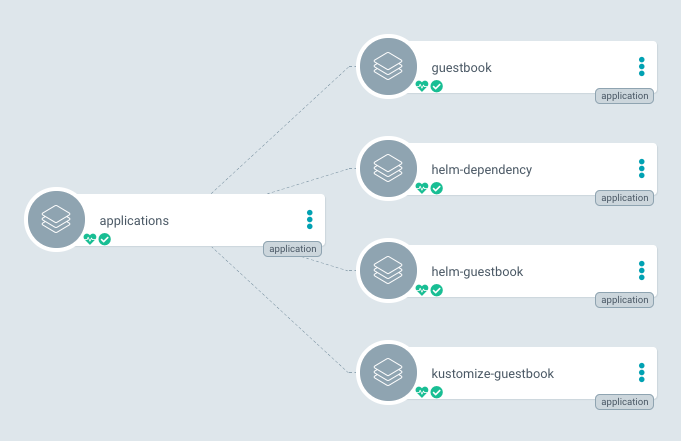
Implementation Details
Step 1: Install ArgoCD
To install ArgoCD, use the official argo-cd Helm chart. Pin the chart version; chart 10.9.6 ships Argo CD v3.5.3 (check the chart index for newer releases):
helm repo add argo https://argoproj.github.io/argo-helm
helm repo update
helm install argocd argo/argo-cd \
  --namespace argocd \
  --create-namespace \
  --version 10.9.6
The chart installs the non-HA version of Argo CD by default. For production, use the chart’s HA settings. The chart README warns that HA needs at least 3 worker nodes, because Redis HA forces its pods onto separate nodes, and the Argo CD HA guide says the same about its anti-affinity rules:
# argocd-ha-values.yaml
redis-ha:
  enabled: true
controller:
  replicas: 1
server:
  autoscaling:
    enabled: true
    minReplicas: 2
repoServer:
  autoscaling:
    enabled: true
    minReplicas: 2
applicationSet:
replicas: 2helm upgrade --install argocd argo/argo-cd \
--namespace argocd \
--version 10.9.6 \
-f argocd-ha-values.yamlRancher also ships its own GitOps engine, Fleet (Continuous Delivery), in every Rancher install. Argo CD runs fine alongside it on Rancher-managed clusters.
Step 2: Access ArgoCD Locally via kubectl port-forward
If you prefer not to expose ArgoCD externally, you can use kubectl port-forward to access the ArgoCD server from your local machine.
Port-Forward the ArgoCD Server: Run the following command to forward the local port 8080 to the ArgoCD server service in the
argocdnamespace:bashkubectl port-forward svc/argocd-server -n argocd 8080:443Access ArgoCD: Open your browser and navigate to:
https://localhost:8080Log In: Retrieve the initial admin password:
bashkubectl -n argocd get secret argocd-initial-admin-secret -o jsonpath="{.data.password}" | base64 --decodeUse
adminas the username and the retrieved password to log in.
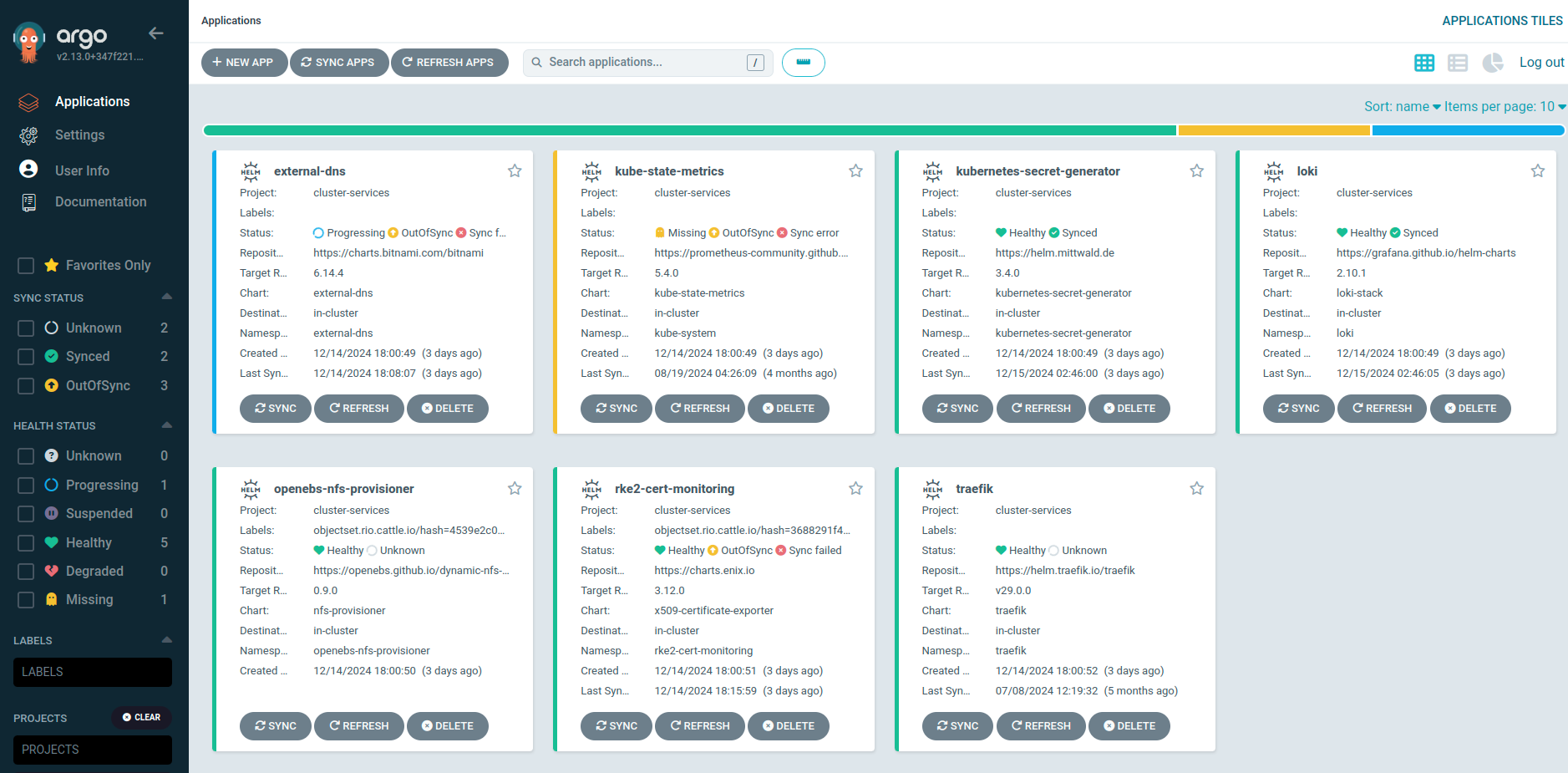
Configuring ArgoCD Applications
Example: Deploying an Application Using ArgoCD
apiVersion: argoproj.io/v1alpha1
kind: Application
metadata:
  name: example-app
  namespace: argocd
spec:
  destination:
    namespace: example-namespace
    server: https://kubernetes.default.svc
  project: default
  source:
    repoURL: https://github.com/example/repo.git
    targetRevision: HEAD
    path: manifests
  syncPolicy:
    automated:
      prune: true
      selfHeal: true
Apply the application manifest:
kubectl apply -f application.yaml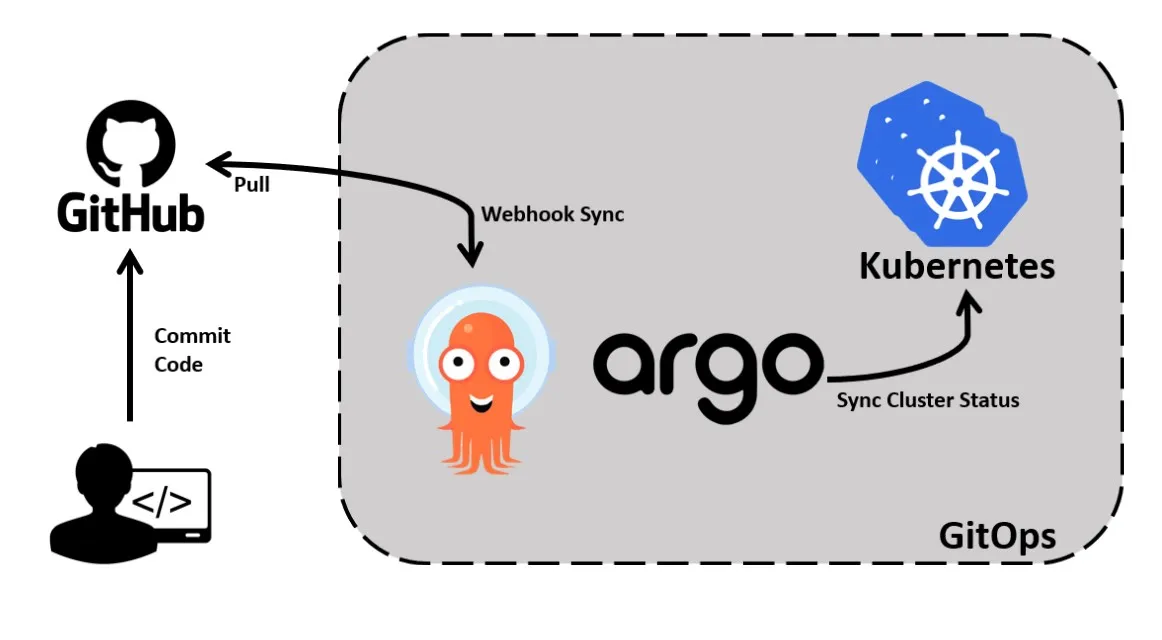
Monitoring and Troubleshooting
Monitoring ArgoCD
ArgoCD exposes metrics compatible with Prometheus. To monitor ArgoCD:
- Install the Prometheus Operator (for example kube-prometheus-stack, or Rancher Monitoring).
- Let the chart create the metrics Services and ServiceMonitors for each component instead of writing one ServiceMonitor by hand. Each component exposes metrics on its own Service and port:See the Argo CD metrics docs for the metric names.yaml
controller:
  metrics:
    enabled: true
    serviceMonitor:
      enabled: true
server:
  metrics:
    enabled: true
    serviceMonitor:
      enabled: true
repoServer:
  metrics:
    enabled: true
    serviceMonitor:
      enabled: true
applicationSet:
  metrics:
    enabled: true
    serviceMonitor:
      enabled: true
Troubleshooting Common Issues
- Sync Failures: Check the logs for the ArgoCD application controller:bash
kubectl logs -n argocd -l app.kubernetes.io/name=argocd-application-controller - Access Issues: Ensure the ArgoCD server is exposed correctly via LoadBalancer, Ingress, or Gateway API. With an Ingress, set
ingressClassNameto a running controller such astraefik; Ingress NGINX was retired in March 2026. - Permission Denied: Verify that ArgoCD has sufficient RBAC permissions in the target namespace.
Considerations
- Namespace Isolation: Use ArgoCD projects to isolate applications by namespace and permissions.
- RBAC Configuration: Limit access to ArgoCD applications based on team roles.
- Backup and Restore: Regularly back up ArgoCD configurations and secrets to ensure recoverability in case of failure.
- Cluster Scalability: Test ArgoCD performance in large-scale clusters to ensure it meets your scaling requirements.